SGHandTrackerComponent
Since v2.1.0, the first version to introduce OpenXR support, the SenseGlove Unreal Engine Plugin has provided a convenient way to retrieve FXRHandTrackingState for SenseGlove devices. This eliminated the need to manually calculate and apply SenseGlove wrist-tracker settings and offsets, or to fetch the Project Settings > SenseGlove > Tracking Settings > Wrist Tracking Settings and pass them to GetWristLocation() in an additional step, as described in the relevant documentation.
SGHandTrackerComponent simplifies this process even further by abstracting all of that away entirely in a high-level manner:
- Simply add this component to your Pawn class (or any actor that requires hand-tracking data).
- Configure and adjust its properties.
- Retrieve the tracking data with a single function call when needed.
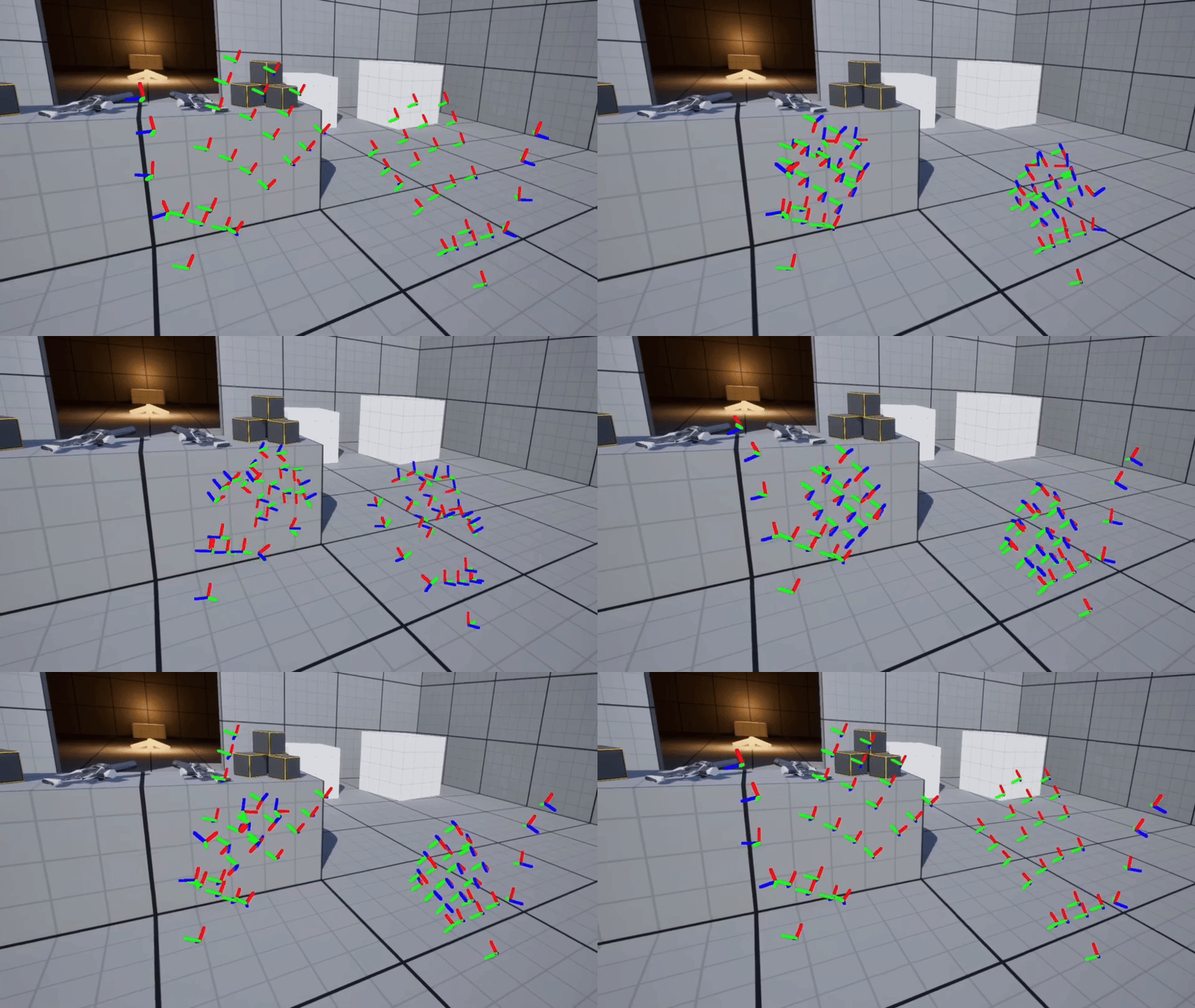
The SenseGlove UE Plugin automatically handles all required settings and offset calculations for your positional tracking hardware, regardless of whether you are using pure hand tracking or a SenseGlove device. It also provides an optional debug hand for free, allowing you to visualize the hand-tracking data instantly, without writing a single line of code.
Adding the Component to Your Actors
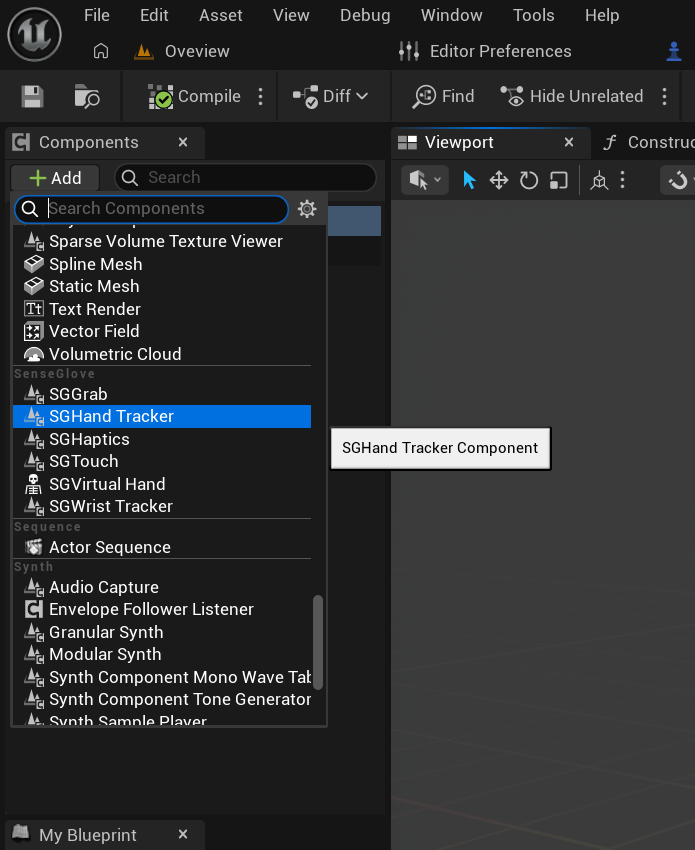
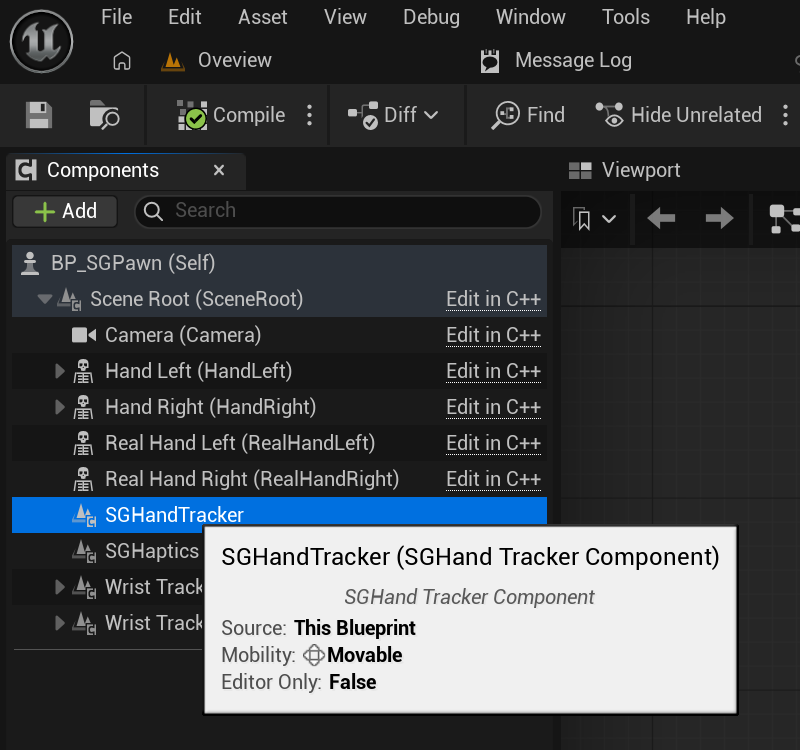
Adding SGHandTrackerComponent is straightforward. In the Components panel, click the Add button and locate it under the SenseGlove section:
Blueprint Properties
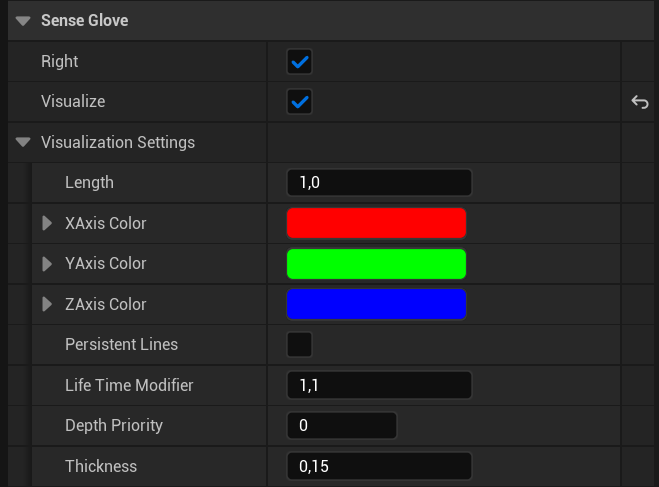
SGHandTrackerComponent exposes the following properties through the Details panel in Unreal’s Blueprint Editor:

Right: If enabled, the component tracks and provides hand-tracking data for the right hand. If disabled, it tracks the left hand instead.Visualize: If enabled, the component visualizes the hand-tracking data by rendering a debug hand. The appearance of this debug hand can be further customized, as shown below.
C++ and Blueprint Functions
SGHandTrackerComponent provdies the following C++ methods:
public:
    FORCEINLINE bool IsLeft() const
    {
        return !IsRight();
    }

    FORCEINLINE bool IsRight() const
    {
        return bRight;
    }

    void SetRight(const bool bInRight);

    FORCEINLINE bool IsVisualized() const
    {
        return bVisualize;
    }

    FORCEINLINE void SetVisualize(const bool bInVisualize)
    {
        bVisualize = bInVisualize;
    }

public:
    const FXRHandTrackingState& GetHandTrackingState() const;
The same set of functions are also exposed to Blueprint:
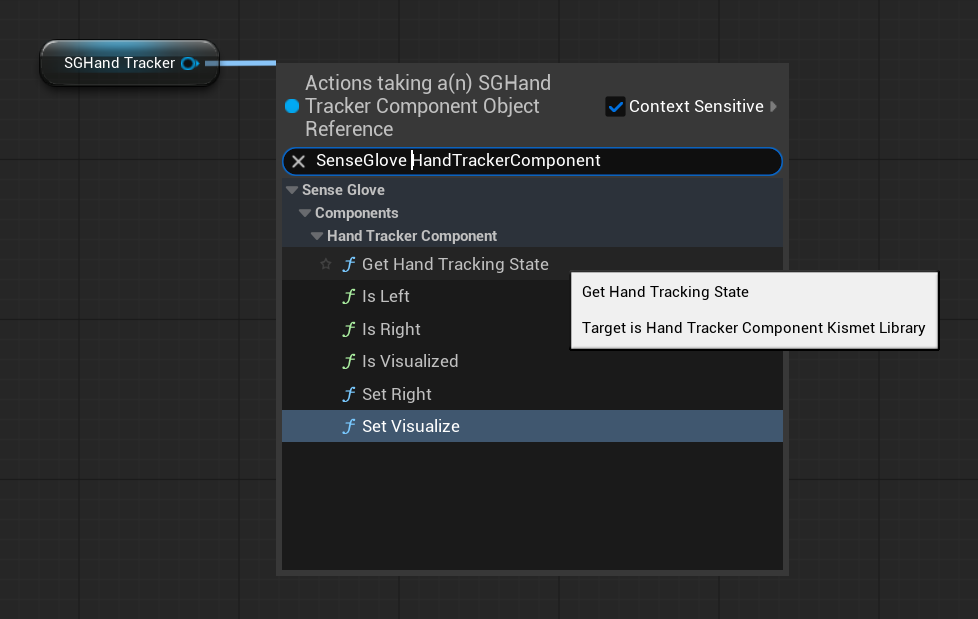
GetHandTrackingState
The most important function accessible via SGHandTrackerComponent is GetHandTrackingState():
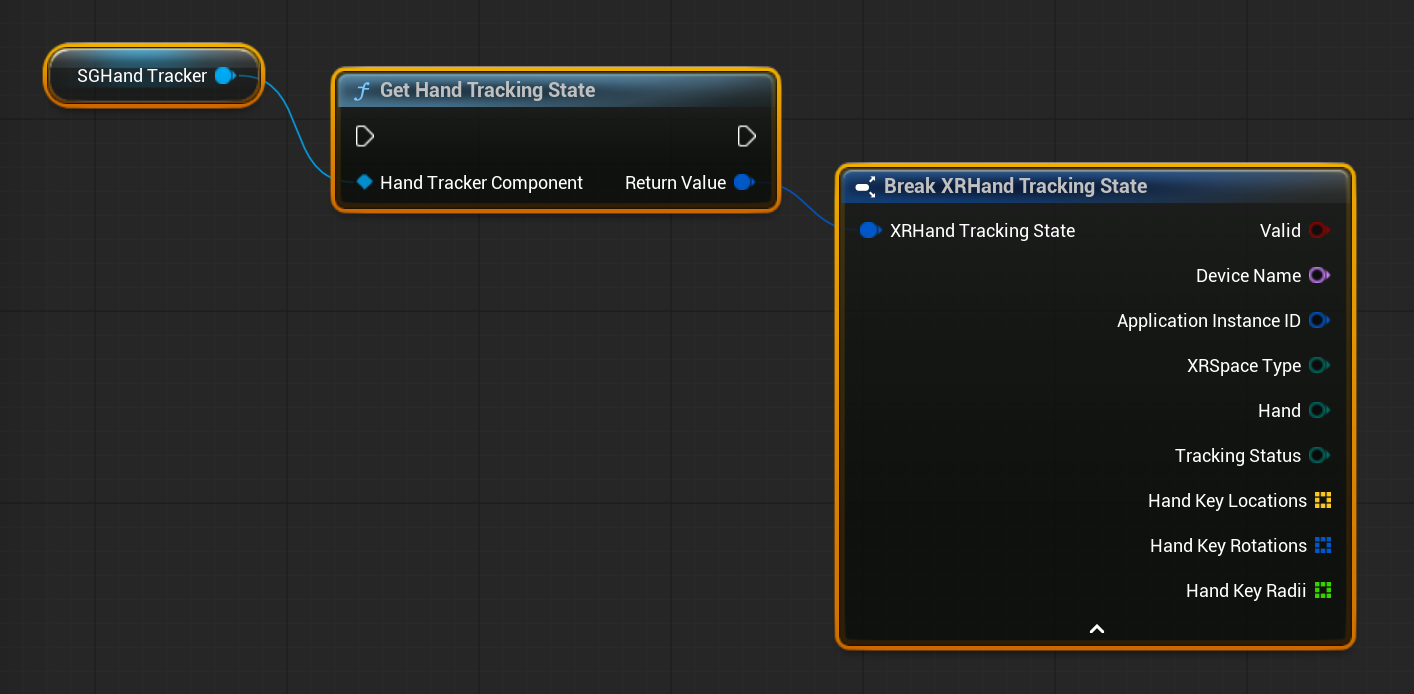
This function returns a snapshot of the OpenXR hand-tracking data as an FXRHandTrackingState struct.
For more details on what this data contains and how to use it, please refer to the Consuming FXRHandTrackingState section.